🎨 Branding
App icons for iOS and Android, theme palettes, and launch screens.
Every project in WiXO represents an independent iOS and Android mobile application connected directly to your existing website or e-commerce shop.
When you select an application from the main dashboard, its management hub opens up:
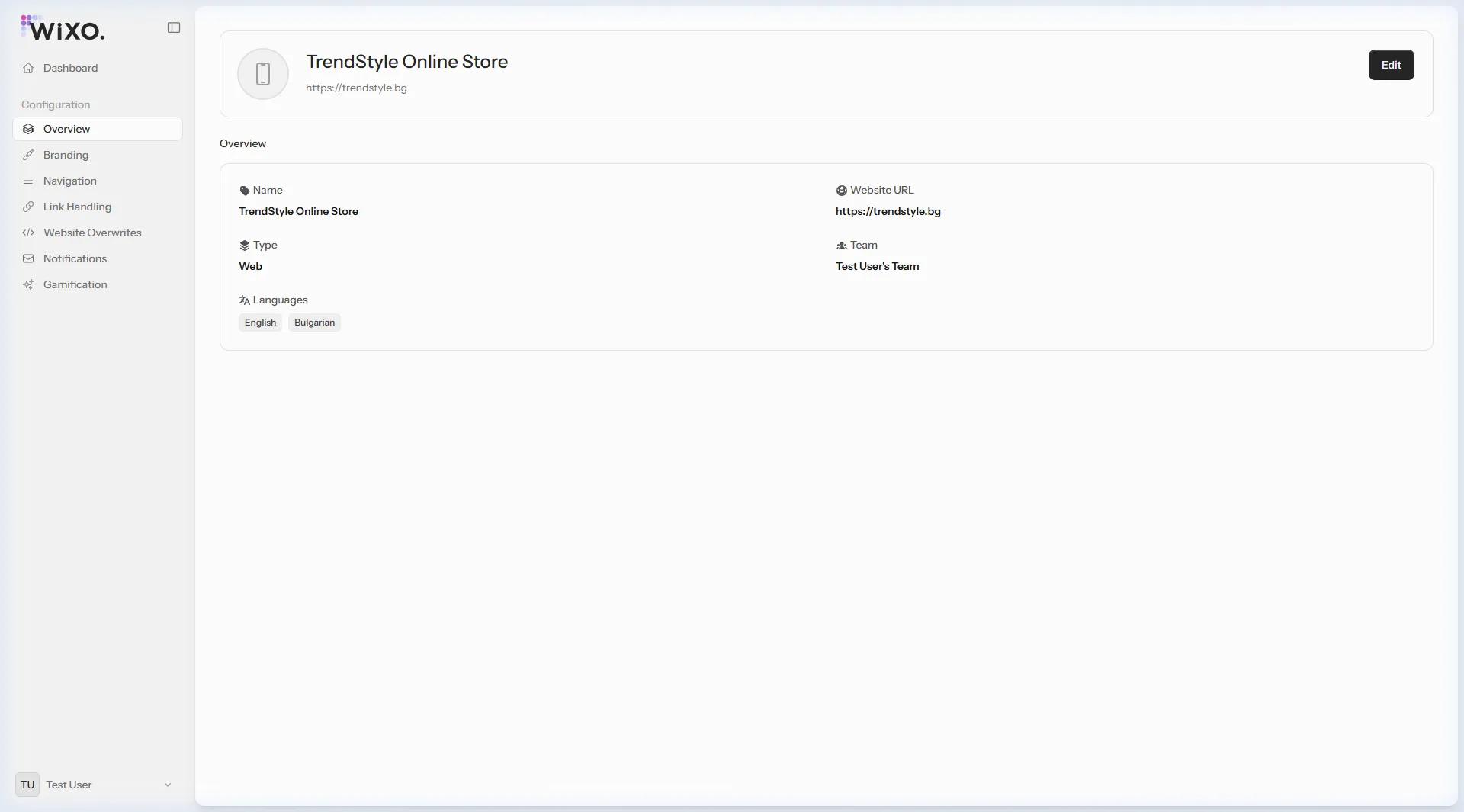
https://trendstyle.bg), loaded on app launch.Web Application (Web) — Universal native wrapper for any responsive website or progressive web app.OpenCart — Specialized integration for OpenCart e-commerce stores.WordPress (WP) — Optimized for WordPress content sites and blogs.WooCommerce — Dedicated mobile commerce experience with integrated cart and checkout.Other eCommerce — Compatible with custom or alternative online stores (PrestaShop, Magento, Shopify, or proprietary engines).The left navigation rail provides instant access to all specialized modules:
🎨 Branding
App icons for iOS and Android, theme palettes, and launch screens.
🧭 Navigation
Bottom navigation bar builder with a real-time mobile simulator.
🔗 Link Handling
Rules deciding which URLs stay in-app vs open external browsers.
⚡ Website Overwrites
Clean CSS rules to conceal website headers and non-native elements.
🔔 Notifications
High-engagement push campaign composer and history.
🎡 Gamification
Interactive Wheel of Fortune campaigns with promo coupon codes.