Language Switch
WiXO provides seamless multilingual support for your control panel – featuring Bulgarian and English. Each team member can personalize their working language independently.
Locating the Language Selector
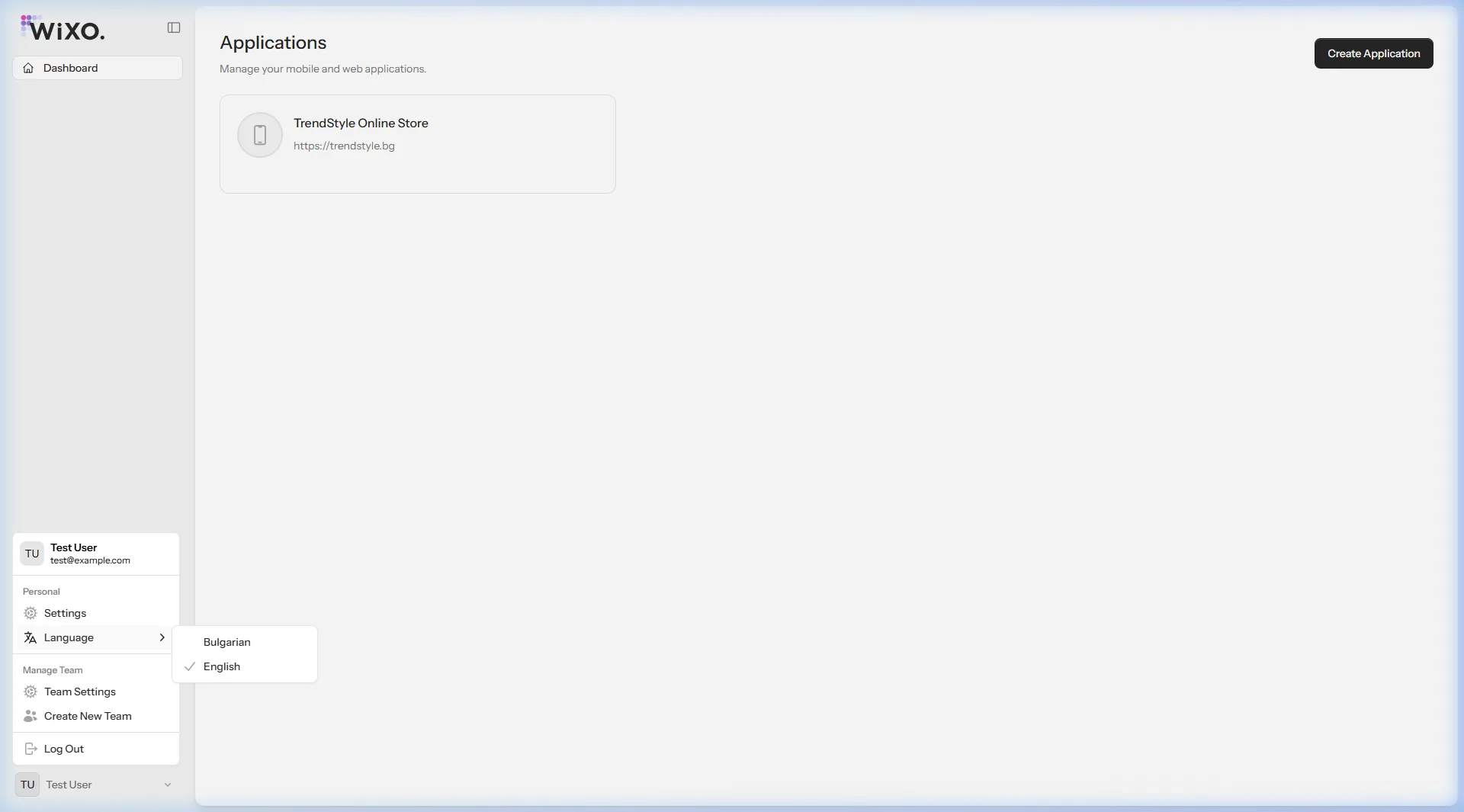
Section titled “Locating the Language Selector”The language switcher is conveniently positioned at the bottom-left corner of the screen directly within the user profile drawer:
Step-by-Step Instructions
Section titled “Step-by-Step Instructions”- Look at the bottom-left corner of your screen where your user name and avatar are displayed.
- Click on your profile bar to reveal the contextual menu.
- Hover or click on the Language item.
- Select your preferred language from the flyout menu:
- Bulgarian
- English
- Click your language choice — the WiXO interface will refresh instantly in your selected language!