Gamification (Wheel of Fortune)
Gamification is a proven catalyst for transforming casual browsers into repeat purchasers. The Wheel of Fortune suite in WiXO enables your shoppers to spin an interactive in-app lucky wheel and unlock promotional discount coupons or free shipping vouchers.
Gamification Campaigns Hub
Section titled “Gamification Campaigns Hub”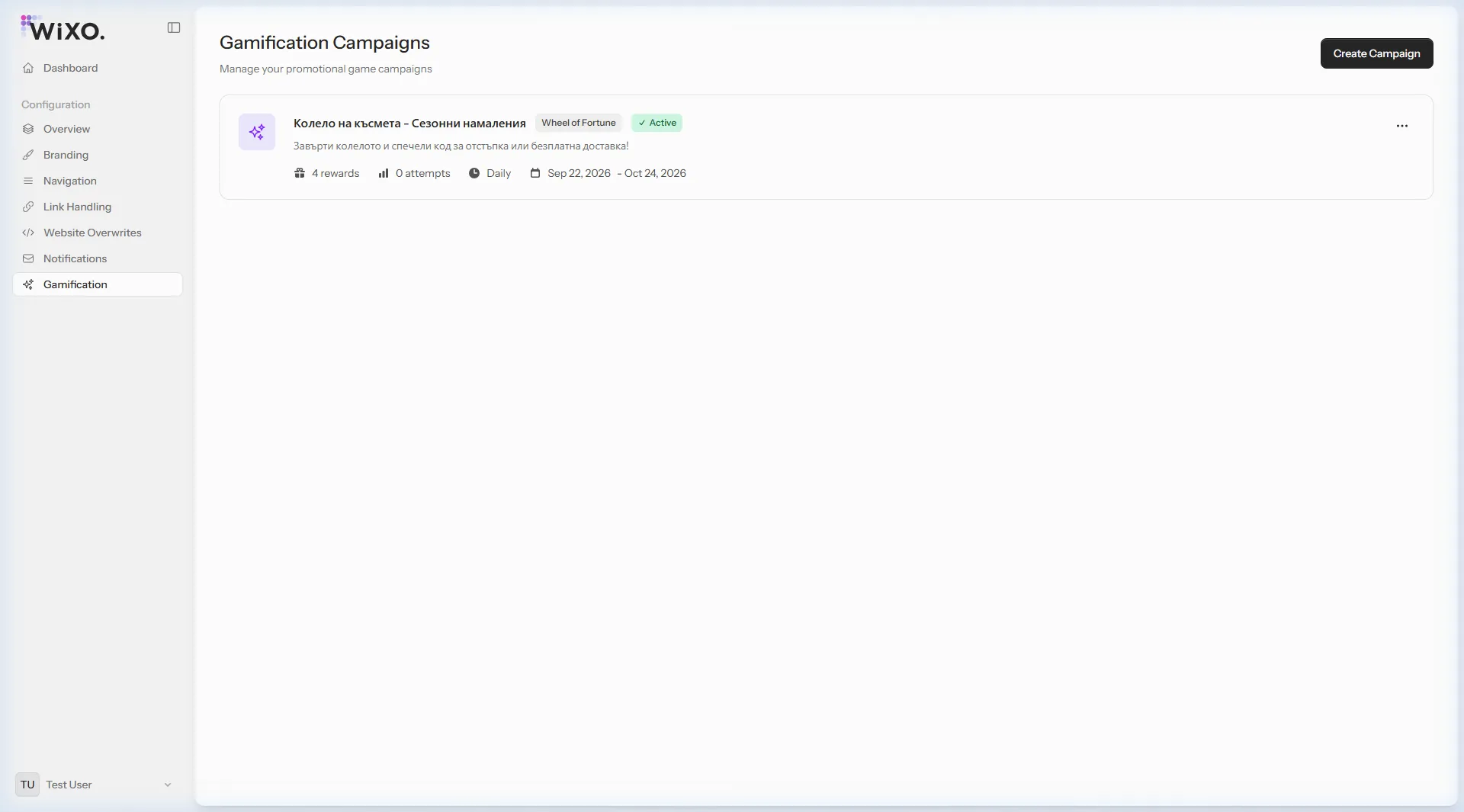
1. Core Campaign Parameters
Section titled “1. Core Campaign Parameters”When setting up a new game via the Create Campaign button, you define:
- Campaign Name: The descriptive label (e.g. Wheel of Fortune - Seasonal Discounts).
- Active Window: The precise start date and end date of the promotion.
- Spin Frequency:
Daily— Each user is allowed 1 spin every 24 hours. This gives shoppers a strong incentive to launch your app daily!Once— Users can only play once during the entire campaign timeline.Weekly / Monthly.
- Status (Active): Instantly activate or pause the game anytime with a single toggle.
2. Configuring Wheel Sectors & Odds
Section titled “2. Configuring Wheel Sectors & Odds”Every wheel contains distinct segments with customizable rewards. For each segment, you set:
| Property | Description | Example |
|---|---|---|
| Reward Name | Text visible on the wheel sector | 10% Discount, Free Shipping |
| Sector Color | Hex background color for the wedge | #6366F1, #10B981, #F59E0B |
| Reward Type | Coupon (discount code) or No Win (try again) |
Coupon |
| Probability Weight | Relative chance of the pointer landing here (1–100) | 40 for modest win, 5 for jackpot |
Proven Balanced Odds Setup:
Section titled “Proven Balanced Odds Setup:”- Sector 1 (40% weight):
10% Discount(Code:PROMO10) — accessible incentive encouraging checkout. - Sector 2 (25% weight):
Free Shipping(Code:FREESHIP) — popular barrier-breaker for cart abandonment. - Sector 3 (15% weight):
20% Discount(Code:SUPER20) — appealing reward for higher basket sizes. - Sector 4 (20% weight):
Try Again Tomorrow(No Win) — maintains authentic excitement and brings the user back next day.
3. Uploading Coupon Codes
Section titled “3. Uploading Coupon Codes”When a shopper wins, the app displays their voucher code alongside a “Copy Code & Shop” button.
- Generate your discount codes in your store backend (WooCommerce, Shopify, OpenCart).
- In WiXO, assign codes to the reward. WiXO ensures that every coupon code is issued exclusively to a single winner.